Free Invoice Template in Excel: Download & Create Professional Invoices Easily
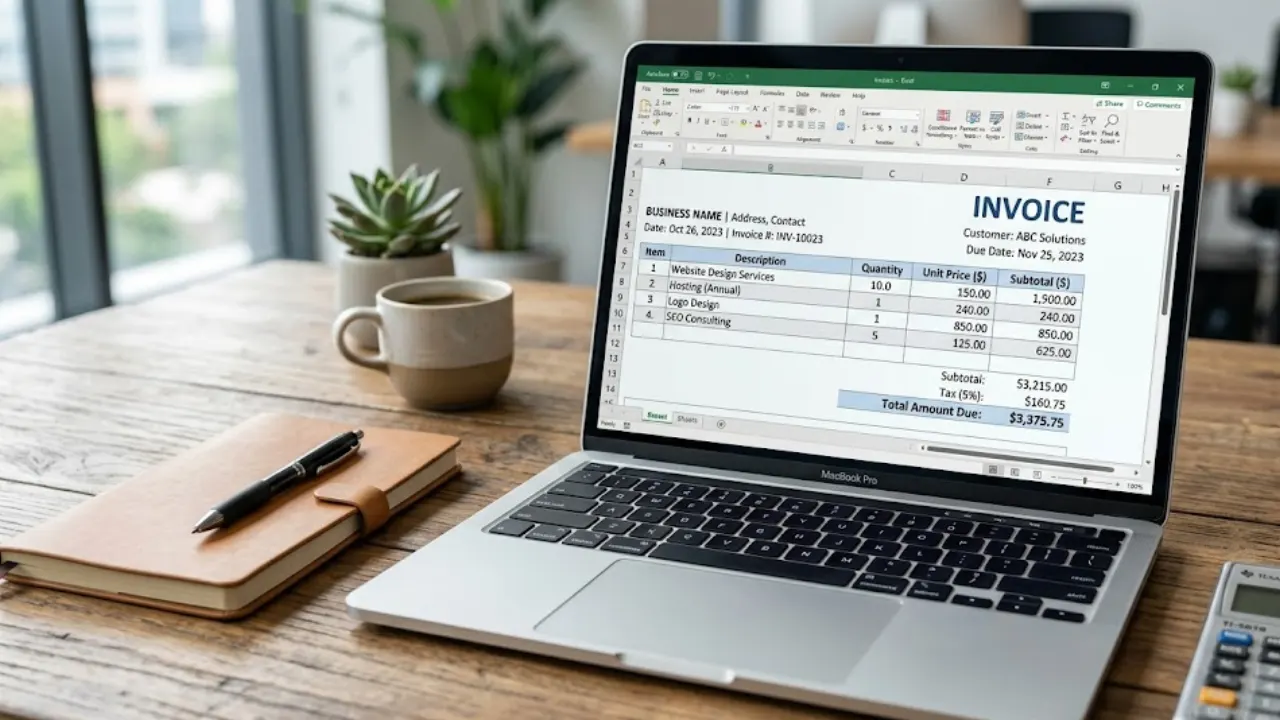
Invoicing can be challenging, in particular if you're just starting with it. In situations such as these, a Free Invoice Template in Excel can be very useful. Instead of starting from scratch, you are given a pre-made template in which all you need to do is fill in your information. It saves time, lowers errors, and maintains the simple nature of your billing procedure. Whether you run a small business or are an independent contractor, using a free Excel invoice template makes you look more professional and organized. In addition, it makes keeping track of payments and managing records much easier, even if you have no prior accounting experience.
What Is a Free Invoice Template in Excel?
A free Excel invoice template is an already created file that allows you to quickly create invoices without the need for any accounting or design expertise. Important information such as your company name, client details, services or products, prices, and total amount can be made the easy to use layout that comes with it. It is easily configurable, customizable, and reusable for various clients because it is built into Excel.
Your free invoice template in Excel is here!
Download your free invoice template in Excel now and start creating professional invoices in just a few clicks!
The capacity of a Excel invoice template is its best feature. Given your needs, you can add taxes, change columns, or add discounts. Because built-in formulas are available, it also aids in lowering calculation errors. Following this, it's an excellent option for freelancers, small companies, and beginners looking for an easy and expert way to manage billing without time wasting.
Benefits of Using an Excel Invoice Template
Invoicing is much simpler when you use a free Excel invoice template, especially if you don't want to start from scratch every time. Your invoice is ready in a matter of minutes if you just open the file and enter your information. Having regular clients keeps your work effective and saves time.
The ability to avoid errors is another fantastic feature of an Excel invoice template. To avoid worried about incorrect numbers, you can compute totals, taxes, or discounts using basic formulas.
Additionally, it gives your invoices a tidy, polished appearance that appeals to customers. What's the best part? You can handle your billing without having to pay extra for tools because it is totally free.
Who Should Use a Free Invoice Template in Excel?
For anyone searching for a secure and simple way to handle invoices without the need for advanced tools, a pre-built Excel invoice template is ideal. If you work as a freelancer, such as a writer, artist, or video creator, this template allows you to send your customers expert invoices.
A free Excel invoice template is also useful for small business owners. It enables you to manage client information, sales, and payments all in a single spot. It keeps your billing organized, no matter whether you run a side gig or a home-based company.
It will be very beneficial for those who are new to accounting. To use it, you don't need to be an accountant. All you need to do is enter the information. For anyone searching for ways to save time, it's a simple answer.
Key Elements Included in an Excel Invoice Template
Usually, a free Excel invoice template contains every detail required for creating a clear and professional invoice. At first, you will see fundamental details such as your company name, address, and client information. This keeps the organization on both sides.
The invoice number and date that follow make it simple to monitor payments. There is a table in the main section where you can list items and offerings along with their number, cost, and total worth.
Most of the free invoice templates come with automated computations. Without handling manual math, adding taxes, discounts, and the total amount due is simple.
Step-by-Step: How to Use a Free Invoice Template in Excel
Here's how to use a free Excel invoice template.
The template must first be loaded onto your computer or other device. Once you've got it, begin by typing your company's name, telephone number, as well as email address. In this manner, people who receive it of the invoice will be able recognize the sender.
Next, enter the details of the person or business to whom you are sending the invoice, such as their name and phone number. Giving the invoice a brand and a deadline will help you remain on with it.
Finally, add payment terms like the due date and payment method. Once everything looks good, save the file or convert it to PDF and send it to your client.
Tips to Make Your Excel Invoice Look More Professional
With a few changes, a free Excel invoice template can look quite professional. First, ensure that the layout is clean and readable. Simple is always better, so do not use too many colors or designs.
To make your invoice look clean and professional, you can add your company logo to the top of your invoice template. Also, ensure that your information is not hard to read by using appropriate fonts.
Ensure that your information is properly arranged. Ensure that your service description is clear, properly aligned, and that you have highlighted your total amount. These details have a big impact.
Finally, ensure that your invoice is accurate before you send it out. You can make a big impact on your clients by using a clean and precise Excel-free invoice template.
Save time on billing and focus more on growing your business.
Common Mistakes to Avoid When Using Excel Invoice Templates
Even though it is simple to use a free invoice template in Excel, it is still possible to make a number of errors that may negatively affect your business. One such error that may come up is forgetting some information in your invoice. This may include your invoice number and date. This may confuse in the future when you need to keep track of your payments.
Another mistake that may arise is that of incorrect pricing and total details in your invoice. Even though there is a way of automatically calculating this using Excel, one needs to ensure that their details are correct. In other instances, there is a possibility that one may forget to include essential details about their clients and services provided, which may not look professional.
Some people may also forget to include some important information in the invoice, such as the due date and method of payment. A free invoice template in Excel should include this information so that your clients know what to do and when to pay your invoices.
Excel Invoice Template vs Invoice Generator: Which Is Better?
It is a choice between a free invoice template in Excel and an invoice generator. A free invoice template in Excel is a good option. It is easy and convenient. It is a good option if one is only generating a few invoices. You can easily edit all the details manually and use the same template whenever the need arises.
The invoice generator is a better option than the free invoice template in Excel. This is because it is a better option than the free invoice template in Excel. It is a better option than the free invoice template in Excel. The free invoice template in Excel is a good option for a beginner. However, as one becomes busy with more and more clients, it is advisable to switch to an invoice generator.
Best Practices for Faster Payments
Receiving timely payments is important, and the free invoice template in Excel will help you achieve this by using it the right way. You should always specify the due date for the payment so that the client does not get confused and make the payment on time.
You should also include basic modes of payment, such as bank transfer or UPI. The more convenience you provide for the client, the sooner they will make the payment and help you receive it sooner.
You should also try to send the invoice as soon as the task is completed. You may also send reminders before or after the due date if required. This can be achieved by using the free invoice template in Excel.
Where to Download Free Invoice Templates in Excel
Getting a free invoice template in Excel is not a difficult task if you know where to search for it. However, you may not find the best and easiest template for you, as most websites may not be clean or easy to use. Hence, it is recommended to choose a website that provides you with ready-made and professional invoice templates.
One such website is InvoiceDesire, where you can download a free invoice template in Excel and start using it instantly. The website provides you with clean and easy-to-use invoice templates that do not require any technical knowledge.
You can also create an invoice using this website without even downloading anything. This is going to be an added advantage for you as you will be able to use this feature even more easily.
Conclusion: Start Creating Professional Invoices Today
One of the best ideas for managing your invoicing in a simple manner is by using a free Excel invoice template in Excel. It will help you save your time and avoid errors in managing your invoices in a proper manner. It does not matter whether you are a freelancer or a business owner, as you can properly use this tool for managing your invoicing.
However, as your business grows, you may use other tools that will help you manage your invoicing more simply. Currently, it is a great idea to use a free invoice template in Excel for managing you’re invoicing in a proper manner.
Found this helpful?
Share it with a fellow freelancer or business owner.
Keep reading
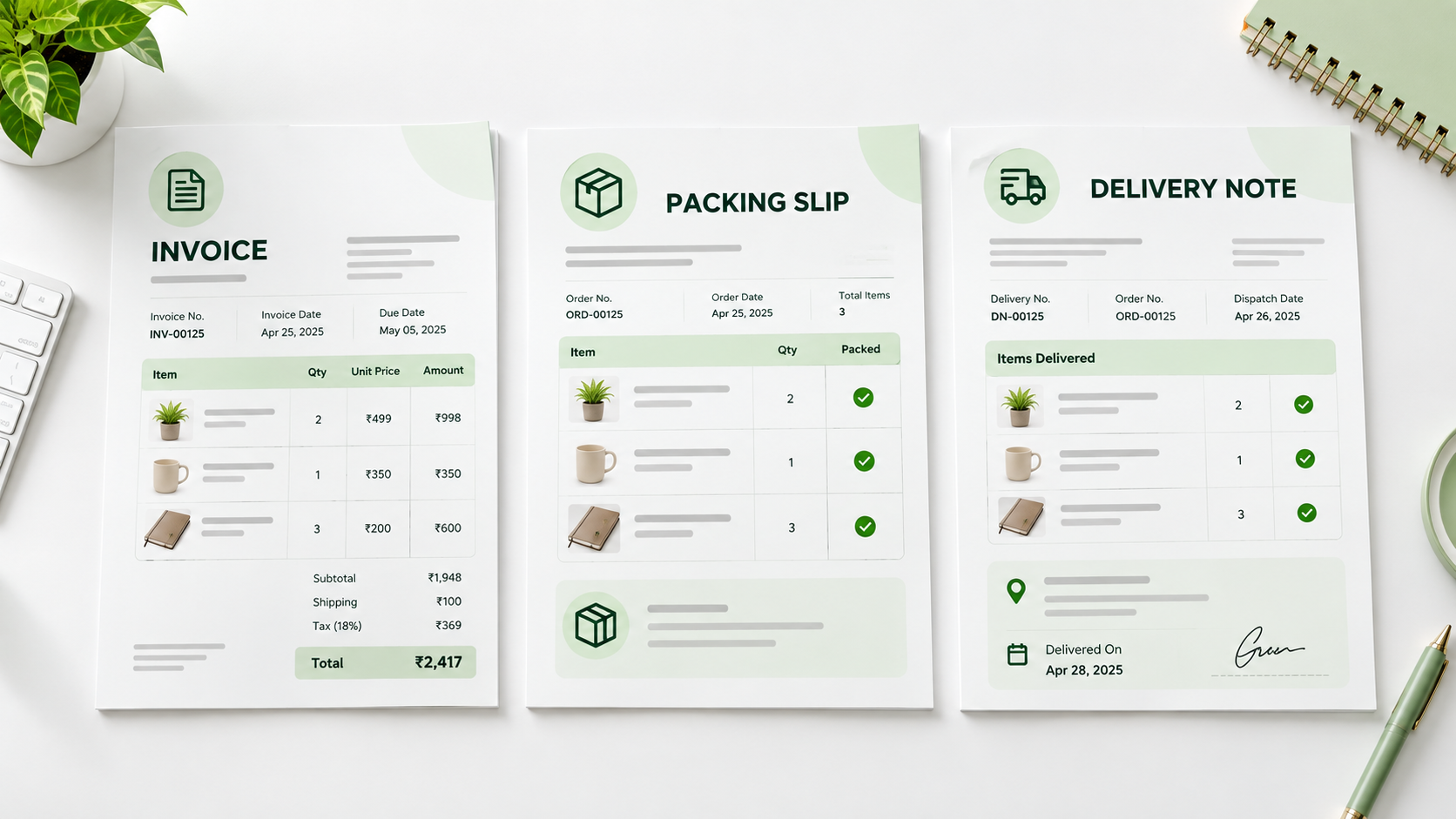
Packing Slip vs Invoice vs Delivery Note: What's the Difference?
Learn the difference between a packing slip, invoice, and delivery note, what each document is used for, what to include, and when you need them.

Recurring Invoices and Retainer Billing for Freelancers: A Complete 2026 Guide
For freelancers chasing stable, predictable income, retainer agreements are the gold standard — and the recurring invoice is the tool that makes them work. Instead of starting each month hunting new projects, retainer clients provide guaranteed work and guaranteed pay. But billing for a retainer cor

Why Your Invoicing Tool's Privacy Policy Is a GDPR Risk You Haven't Considered
Most freelancers choose an invoicing tool based on price or ease of use. Very few ask the more important question: where does my client data actually go? In 2026, with GDPR enforcement at record levels and data breaches increasingly targeting small businesses, the answer has real consequences.

France E-Invoicing Mandate September 2026: What Every Freelancer Must Do Now
France's long-anticipated e-invoicing mandate goes live on 1 September 2026. While large enterprises have been preparing for months, many independent freelancers and auto-entrepreneurs remain unaware that they will be affected—and that the deadline to receive structured e-invoices is just weeks away
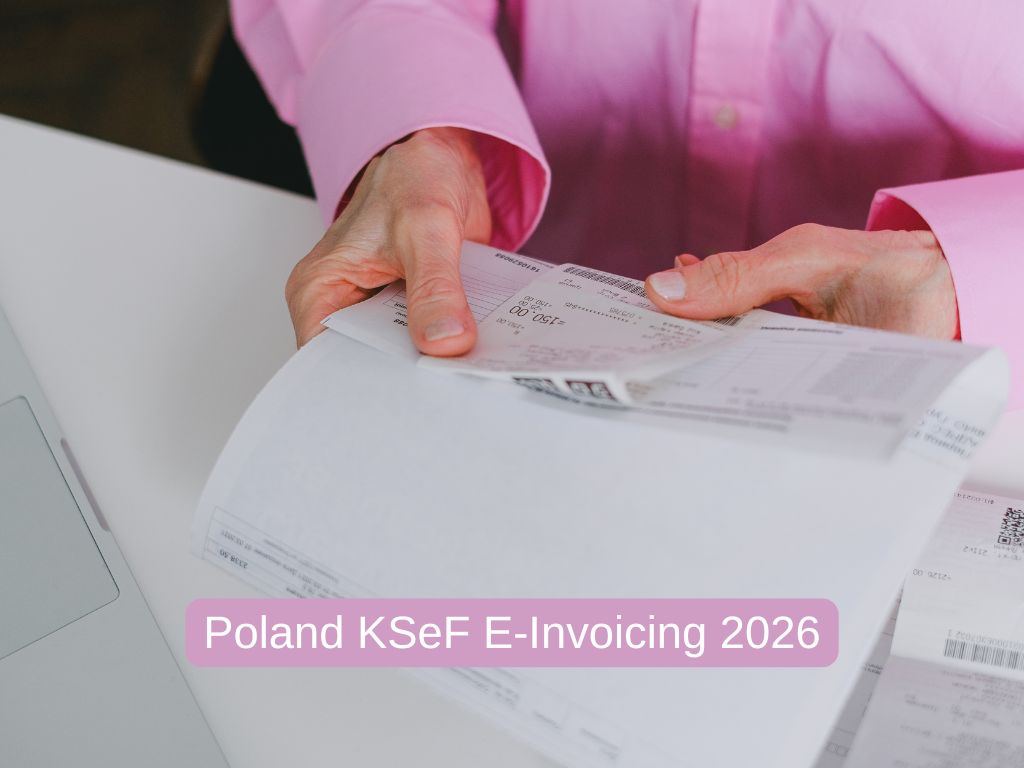
Poland's KSeF Mandatory E-Invoicing in 2026: A Freelancer's Compliance Guide
Poland became one of the first EU countries to enforce mandatory B2B e-invoicing in 2026 through its Krajowy System e-Faktur (KSeF) platform. If you are a freelancer or sole trader doing business in Poland — or invoicing Polish clients in a B2B context — understanding KSeF is now a compliance requir
Belgium's B2B E-Invoicing Mandate in 2026: A Freelancer's Essential Compliance Guide
On 1 January 2026, Belgium became one of the first EU countries to mandate structured e-invoicing for all B2B transactions between VAT-registered businesses. If you are a freelancer working with Belgian business clients, your plain PDF invoice may no longer be legally sufficient.