Australia's 7 Mandatory Tax Invoice Fields: The GST Compliance Checklist for Freelancers (2026)
Do Freelancers Need a Tax Invoice?
If you're a freelancer in Australia and you're registered for GST, you need to give your client a tax invoice when you charge GST. It tells your client what you did, how much you charged, and how much GST is included.
The good news is that creating a tax invoice Australia doesn't have to be complicated. You just need to make sure the right details are included.
In this guide, we'll look at the 7 important fields your tax invoice should have, along with a simple example and a quick checklist you can use before sending an invoice to a client.
The goal is simple: help you create a clear invoice, avoid common mistakes, and make sure your GST details are easy for your client to understand.
What Is a Tax Invoice in Australia?
A tax invoice is a document a GST-registered business or freelancer gives to a client when charging GST. It shows what you sold or what service you provided, the price, the GST amount, and the total the client needs to pay.
Think of it as a clear record of the sale. Your client can use the information on the invoice to understand the charge and, where allowed, claim the GST included in the purchase.
A tax invoice Australia needs to contain certain details. The exact details can depend on the amount of the sale, so it's important to use the right format for your situation.
Create free invoice easily
Generate clean, accurate invoices instantly with our free online invoice generator. No signup required. Fast, simple, and professional.
For most freelancers, the basic idea is simple: clearly identify your business, your client, the work you provided, the date, GST, and the total amount.
If you're not registered for GST, you generally shouldn't add GST to your invoices or call them tax invoices. If you're unsure about your GST obligations, it's best to check the current Australian Taxation Office rules or speak with a tax professional.
The 7 Mandatory Tax Invoice Fields
If you're a GST-registered freelancer, getting the details on your invoice right is important. You don't need a complicated design. You just need the right information, presented clearly.
The tax invoice in Australia can vary depending on the value of the sale, so always check the current rules for your situation. For a standard freelancer invoice, these are the key details to pay attention to.
1. Clearly Write “Tax Invoice”
Your document should clearly say “Tax Invoice” somewhere easy to see. Don't hide it in tiny text at the bottom.
2. Your Business Name and ABN
Add your business or trading name and your Australian Business Number (ABN). Your client needs to know who issued the invoice.
3. Invoice Date
Include the date the invoice was issued. It's a small detail, but it helps both you and your client keep proper payment and GST records.
4. Description of Your Work
Clearly explain what you're charging for. For example, instead of writing “Services,” write “Website design and development – June 2026.” Your client should understand the charge without having to ask you.
5. GST Amount
If you're charging GST, show the GST amount clearly. For example, if your service costs $1,000 before GST, the GST is $100 and the total is $1,100.
6. Total Amount to Pay
Make the final amount obvious. Your client shouldn't have to calculate the invoice themselves to find out what they owe.
7. Customer Details
Include your client's name or business name. For some transactions, especially higher-value sales, additional customer details such as their ABN may also be required.
A good invoice doesn't need to be complicated. Keep these details clear and easy to find, and you'll make life easier for both you and your client.
Tax Invoice Checklist for Australian Freelancers
Before you send a tax invoice to a client, take a quick minute to check the important details. It's much easier to fix a mistake before sending the invoice than after the client has already received it.
Use this simple tax invoice checklist:
The words “Tax Invoice” are clearly shown.Your business or trading name is included.Your ABN is correct.The invoice date is included.The products or services are clearly described.The GST amount is shown correctly.The total amount to be paid is clear.The client's details are included where required.
Don't just check the numbers. Look at the client's name, your ABN, service description, and GST amount too. One small mistake can create unnecessary questions later.
If everything on the list is correct, your invoice is much easier for your client to understand and keep for their records.
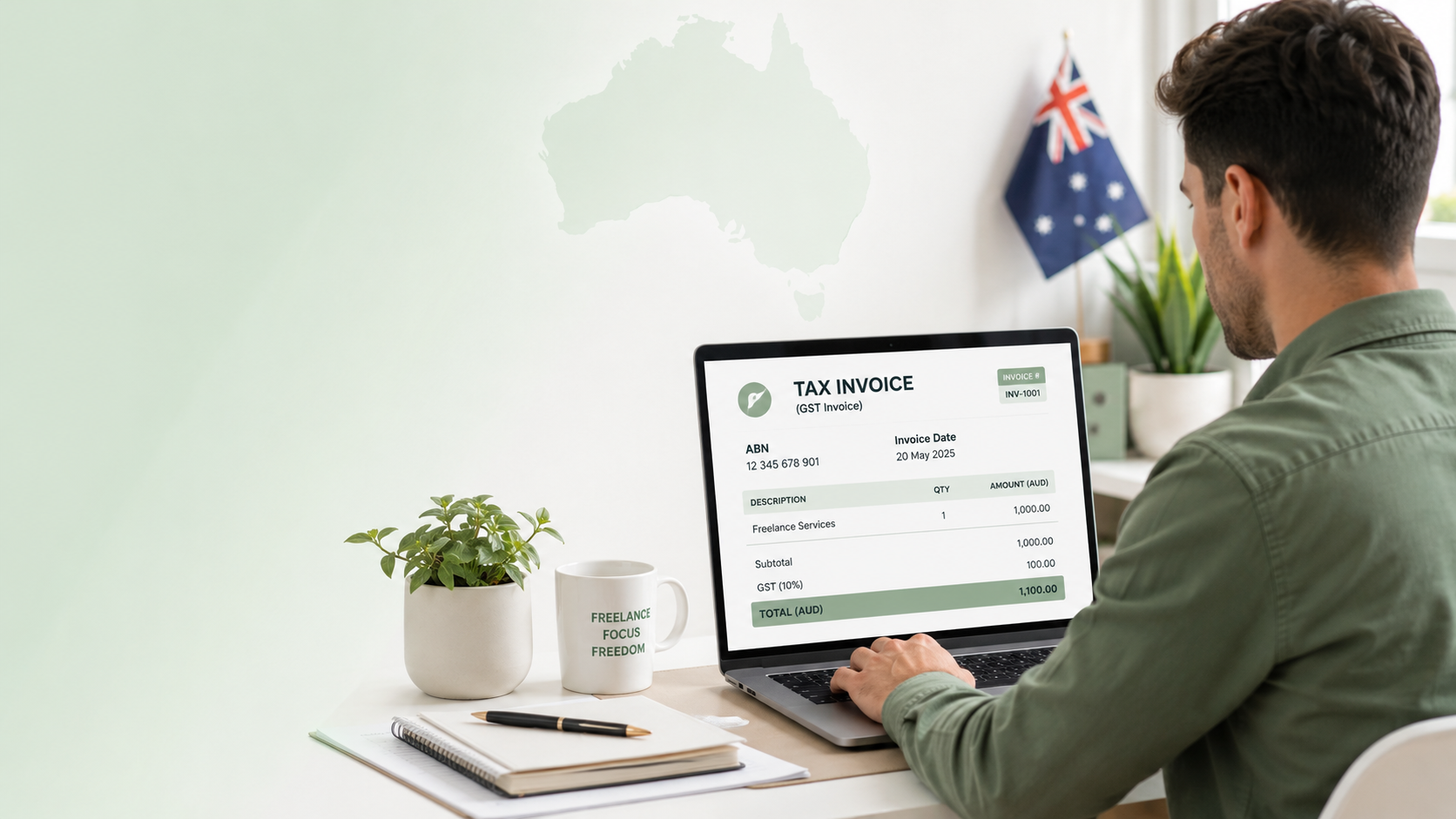
Example of a Correct Australian Tax Invoice
Seeing an example makes the whole thing much easier. Here's a simple example of what a freelancer's tax invoice could look like.
TAX INVOICE
Business: Bright Web Studio ABN: 12 345 678 901 Invoice Date: 18 August 2026 Invoice Number: INV-2026-018
Bill To: ABC Business Pty Ltd
Service: Website design and development — $1,000
GST (10%): $100 Total Amount Due: $1,100
This example includes the main details a client needs: who issued the invoice, the ABN, date, client, service, GST, and total amount.
You don't need to copy this exact design. The important thing is that the required information is easy to find and the numbers are correct.
If you're creating an Australian tax invoice, keep the layout simple. Your client should be able to open it and understand the charge within a few seconds.
Tax Invoice vs Regular Invoice: What's the Difference?
The terms invoice and tax invoice sound almost the same, but there's an important difference.
A regular invoice is simply a request for payment. It tells your client what you provided, how much it costs, and when the payment is due.
A tax invoice is used when a GST-registered business or freelancer charges GST. It includes the GST details your client may need for their own records and GST claims.
For example, if you're GST-registered and charge $1,100 for a service, your tax invoice should make it clear that $100 of that amount is GST.
If you're not registered for GST, you generally shouldn't charge GST or label your invoice as a tax invoice.
So, don't use the term “tax invoice” just because it sounds more professional. Use it when you're actually required to issue one under the Australian GST rules.
If you're unsure about your GST status or what your invoice needs to show, check the current Australian Taxation Office guidance before sending it to a client.
Common Tax Invoice Mistakes Freelancers Should Avoid
Creating an invoice isn't difficult, but small mistakes can cause unnecessary problems. If you're a freelancer, it's worth checking your invoice before you send it.
Missing Your ABN
Your ABN is an important part of your business details. Always check that you've entered the correct number before sending the invoice.
Forgetting the GST Amount
If you're charging GST, make sure the GST amount is shown correctly. Don't guess the amount or add GST without checking your calculation.
Using a Vague Service Description
“Freelance work” doesn't tell your client much. Write something clearer, such as “Logo design – 3 concepts” or “Website maintenance – August 2026.”
Leaving Out the Invoice Date
Always include the date the invoice was issued. It helps you and your client keep track of payments and records.
Making the Total Hard to Find
Your client shouldn't have to search through the invoice to find the amount they need to pay. Make the final total clear and easy to spot.
Calling an Invoice a Tax Invoice When You Aren't GST-Registered
This is one mistake you definitely don't want to make. If you're not registered for GST, don't add GST to your prices or call your document a tax invoice.
Before sending any tax invoice Australia, take a quick look at the details. A 30-second check can save you from having to correct the invoice later.
How to Create a Tax Invoice Online
You don't need to spend half an hour making a tax invoice from scratch. An online invoice maker can make the whole process much easier, especially when you're sending invoices regularly.
Here's a simple way to create one:
1. Add Your Business Details
Enter your business name, contact details, and ABN. Check the ABN carefully before moving on.
2. Add Your Client's Details
Enter the client's name or business name and any other details needed for the invoice.
3. Add Your Services or Products
Write a clear description of the work you've completed and add the price.
4. Add GST
If you're registered for GST and need to charge it, add the correct GST amount to the invoice.
5. Check the Total
Make sure the subtotal, GST, and final amount are correct. Don't skip this step.
6. Add Payment Details
Tell your client how they can pay you and include the payment due date if applicable.
7. Download and Send the Invoice
Give the invoice one final check, download it as a PDF, and send it to your client.
Using an online tool makes creating a tax invoice Australia much quicker, while still giving you a clean document that's easy for your client to read.
Create Your Tax Invoice with Invoice Desire
If you're tired of creating invoices manually, Invoice Desire can make the process much simpler. You can enter your business and client details, add your services, include GST, and create a professional invoice without dealing with complicated templates.
It's especially useful when you're a freelancer or small business owner and need to send invoices regularly. You don't need to spend time fixing layouts or calculating everything by hand.
Once you've checked the details, you can create a clean PDF invoice and send it directly to your client.
If you're looking for a simple way to create a tax invoice Australia, give Invoice Desire a try and make your next invoice in just a few minutes.
Final GST Compliance Check
Before you send your invoice, take 30 seconds to check everything. It can save you a lot of back-and-forth later.
Make sure your business name and ABN are correct, the invoice date is included, and the services are clearly described. If you're charging GST, check the GST amount and final total carefully. Also make sure your client's details are correct.
If you're GST-registered, don't treat these details as optional. They help your client understand the charge and keep their own records in order.
GST rules can depend on your business and the type or value of the sale, so don't rely on a random invoice template if you're unsure. Check the current Australian Taxation Office guidance or ask a qualified tax professional.
A clear, accurate tax invoice Australia document is much better than having to correct one after it's already been sent.
Frequently Asked Questions About Australian Tax Invoices
What are the 7 mandatory fields on a tax invoice Australia?
The required details depend on the sale amount and type of transaction. For a standard tax invoice, you generally need details such as the words “Tax Invoice,” seller information and ABN, the invoice date, a clear description of the goods or services, GST information, the total amount, and customer details where required.
Does a freelancer need to issue a tax invoice?
If you're registered for GST and you're making a taxable sale, you generally need to provide a tax invoice when your customer requests one. The rules can differ depending on the transaction, so check the current ATO requirements for your situation.
Does a tax invoice need an ABN?
Yes. A tax invoice generally needs to show the seller's identity and ABN. Make sure your ABN is correct before sending the invoice.
Does a tax invoice have to say “Tax Invoice”?
Yes, when the document is a tax invoice, it should be clearly identified with the words “Tax Invoice.”
How do I show GST on a tax invoice?
If GST is included in the price, your invoice should make the GST amount clear. For example, a $1,100 GST-inclusive charge contains $100 GST when the full amount is taxable at 10%.
Can I create an Australian tax invoice online?
Yes. You can use an online invoice maker to enter your business details, client information, services, GST, and total amount, then create a PDF to send to your client.
What's the difference between an invoice and a tax invoice?
An invoice is a request for payment. A tax invoice is an invoice that meets the GST requirements and is used by a GST-registered business when charging GST.
Note: GST and tax invoice rules can change and may depend on your circumstances. Always check the latest Australian Taxation Office guidance if you're unsure about your requirements.
Conclusion
Creating a tax invoice doesn't have to be complicated. If you're a GST-registered freelancer in Australia, the main thing is to make sure your invoice includes the right details and that your GST amount is correct.
Use the checklist above before sending each invoice, and you'll avoid many of the common mistakes freelancers make. Keep your invoices clear, simple, and easy for your clients to understand.
Found this helpful?
Share it with a fellow freelancer or business owner.
Keep reading
Canada GST/HST Invoice Requirements for Freelancers: The 2026 Compliance Guide
If you freelance in Canada and your billings have crossed $30,000 in the past year, the Canada Revenue Agency requires you to charge GST or HST on your invoices. Many freelancers hit this threshold without realising it applies on a rolling 12-month basis — not a calendar year — meaning you could be
Japan's Qualified Invoice System in 2026: A Freelancer's Complete Guide Before the October Transition
Japan's Qualified Invoice System (インボイス制度) launched in October 2023, but the real crunch for freelancers arrives in October 2026 — when the transitional 80% input tax credit deductibility drops to 50%. Here is everything you need to know to protect your income and keep clients happy.
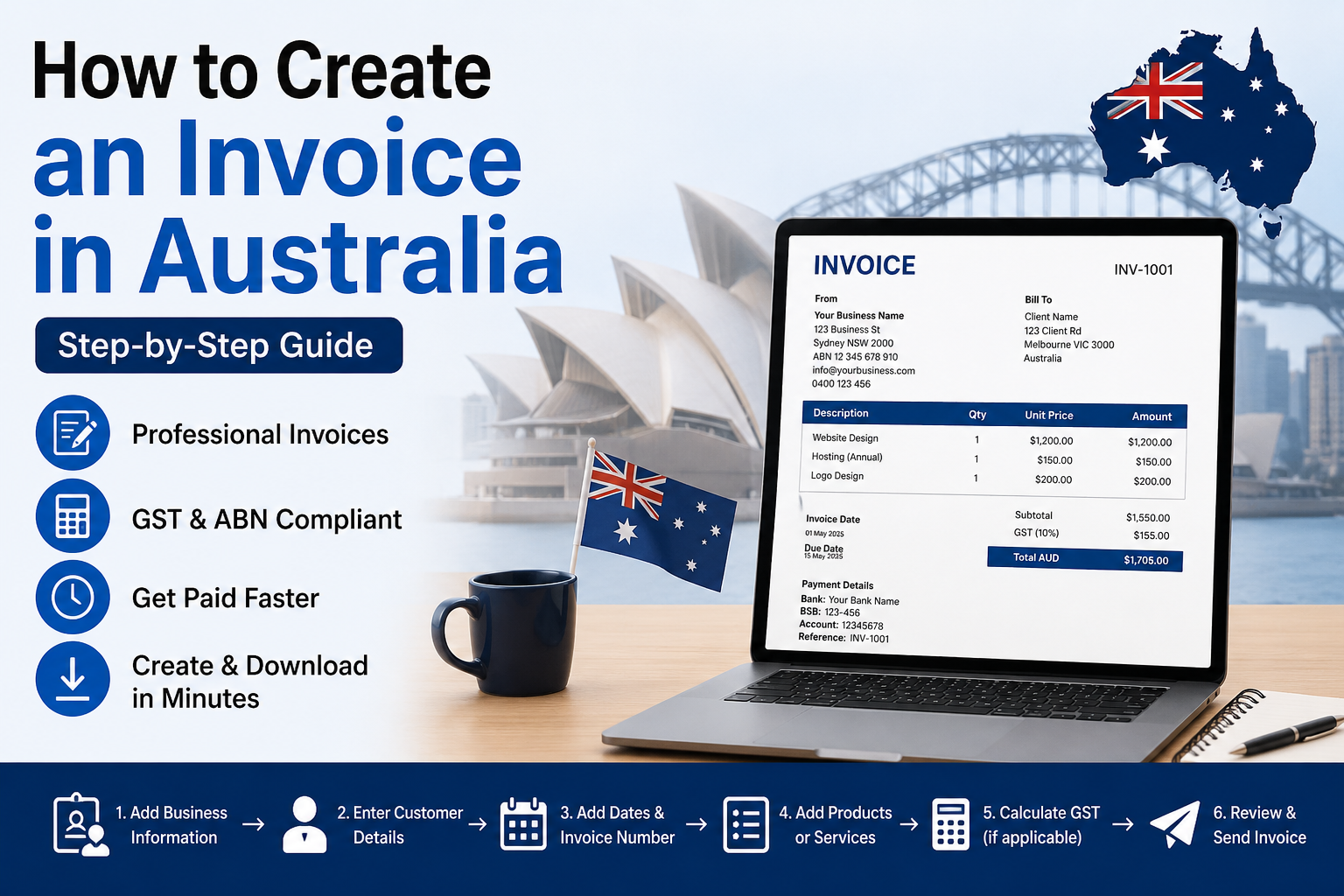
How to Create an Invoice in Australia (2026 Guide)
Learn how to create a professional invoice in Australia. Discover invoice requirements, GST, ABN details, payment terms, and use a free invoice generator.
GST Invoice Requirements for Indian Freelancers in 2026: The Complete Checklist
If your annual freelance income in India exceeds ₹20 lakh, GST registration is mandatory. But even below that threshold, corporate clients often demand a GSTIN before processing your invoice. Understanding what a compliant GST invoice must contain helps you avoid rejected payments and stay on the ri
Free Invoice Template in Excel: Download & Create Professional Invoices Easily
A free invoice template in Excel helps you create clean and professional invoices without any design skills. You can easily edit details like client name, services, price, and total amount. It’s simple, fast, and perfect for freelancers and small businesses who want an organized billing process.
Simple Invoice Format in Word (Free Template for Small Businesses)
Learn how to create a simple invoice format in Word with easy examples, essential invoice elements, and step-by-step guidance.