How to Calculate VAT in South Africa (15% Explained with Simple Examples)
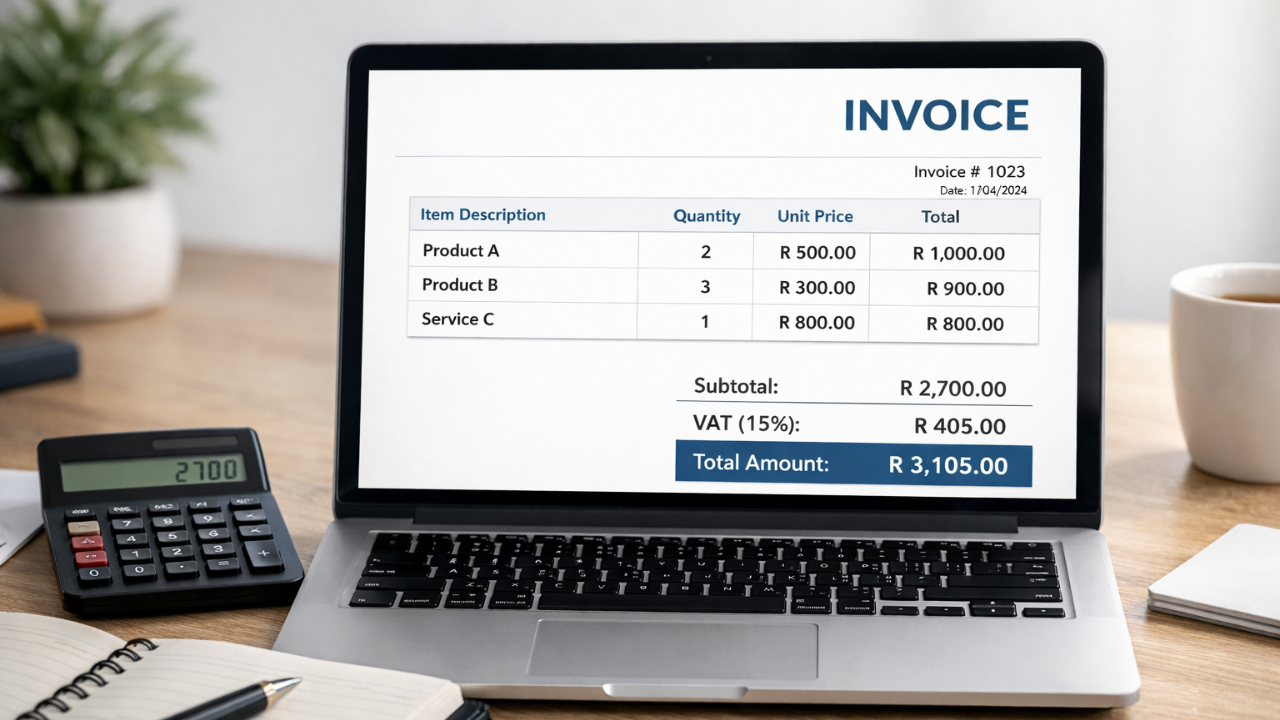
However, when you are making your invoices, it is more important than you think to get your numbers right. A single mistake in tax calculation may lead to confusion and may even get you into trouble in the future. Therefore, when you are making your invoices, it is important to learn how to calculate your VAT.
When you are making your invoices, it is important to remember that your VAT is 15%, and this is important in order to avoid having your invoices look unprofessional and incorrect. There are a number of freelancers and business owners out there who have issues with adding and subtracting their VAT, especially when they are using a manual system. This may lead to undercharging and even overcharging your clients.
However, when you are learning how to calculate your VAT, you are not just helping yourself; you are helping your business grow. When you are using your Excel template or your online tool, you are helping yourself get organized and become more accurate and less stressed. You are also helping your client have more confidence in you by using your VAT calculation in the right way.
Calculate VAT and Create Professional Invoices Easily
Use a simple invoice generator to automatically calculate VAT and create accurate invoices without errors.
What Is VAT in South Africa? (15% Explained Simply)
VAT is an important tax that is charged on all goods and services in the country. The current VAT charged is fixed at 15%. This means that you are required to add an extra 15% as tax for what you are selling. As a business owner or freelancer, it is extremely important for you to understand how to calculate VAT in the country.
To put it simply, your money is not your own, and you're just collecting it on behalf of the government. When you're selling something, you have to add tax to the price of what you're selling, which is then shown clearly on your invoice. For example, if you're selling something for R100, you have to add 15% tax, which is R15, making your total R115.
Knowing how to calculate VAT in South Africa is essential if you want to avoid any common mistakes while creating your invoices. Not only is it essential, but learning how to do this is also beneficial because you'll be able to create professional-looking invoices while being tax-compliant.
Free Invoice Template in Excel: How It Helps with VAT Calculation
By using a free invoice template in Excel, you can simplify things for yourself, especially if you are learning how to calculate VAT in South Africa. You will not have to do everything manually because Excel can help you simplify things for yourself using simple formulas. Once you have set this up, you can instantly calculate the 15% VAT and add this to the total amount.
You will not have to worry about making any errors because this template will help you generate accurate invoices. All you have to do is add the details about the service you have rendered, the amount charged for this service, and the quantity. Once you have added this information to the Excel template, you can instantly calculate the VAT for yourself.
Another advantage is that you can customize the Excel template according to your requirements while still calculating the VAT correctly. If you are learning how to calculate VAT in South Africa, you should definitely consider using an Excel template for this purpose.
How to Calculate VAT in South Africa (15% Formula Explained)
Knowing how to calculate your VAT is actually quite simple, and all you have to do is apply your knowledge of the formulas. Since your VAT is 15%, all you have to do is apply that accordingly.
When you have a price that is exclusive of VAT, you simply have to multiply your price by 15%. If your price is, say, R200, then your VAT would simply be R30, making your total R230.
When you have a price that is inclusive of VAT, you simply have to take out your VAT. To do this, you use the following formula: VAT = Total × (15 ÷ 115). If your total is, say, R115, then your VAT would simply be R15.
Knowing these two formulas would help you greatly, especially when you do not have any confusion about how to go about your invoices. When you actually understand how to calculate your VAT, you would avoid any possible mistakes, thus making your invoices look quite professional.
Simple formulas can make VAT calculation quick and stress-free.
Simple VAT Calculation Examples (Real-Life Scenarios)
Understanding theory is one thing, but real-life examples make it much easier to learn how to calculate VAT in South Africa. Let’s look at a couple of simple scenarios you might face in daily work.
First, imagine you’re a freelancer charging R500 for a service. Since this is a VAT-exclusive price, you add 15% VAT. That means R75 VAT (500 × 15%), making the total invoice R575.
Now, let’s say you receive a payment of R1,150 that already includes VAT. To find the VAT portion, you use the inclusive formula. The VAT comes out to R150, and the actual service value is R1,000.
These examples show how easy it becomes once you understand the basics. By practicing like this, you’ll quickly master how to calculate VAT in South Africa and handle your invoices with confidence and accuracy every time.
Common Mistakes When Calculating VAT in Excel
When using Excel to create invoices, there is a high possibility of making small mistakes, especially if you are still learning how to go about calculating your VAT. One of the common mistakes that people make is using incorrect formulas. Most people get confused between how to do inclusive and exclusive calculations.
Another common mistake is not including VAT on all items included in the invoice. If you do not include VAT on one of your items, your total amount becomes incorrect. Another mistake is that you might accidentally destroy your formulas while using Excel, which leads to incorrect calculations of your VAT.
Some people may also use incorrect percentages, not the correct 15%, while calculating their VAT, which is a problem. However, if you clearly understand how to go about calculating your VAT, you avoid all these common mistakes, thus creating clean invoices every time.
Excel Invoice Template vs VAT Calculator Tool
In the case of choosing an Excel invoice template or a VAT calculator tool, it is important to note that it depends on what you want. Although both tools can help you learn how to calculate VAT in South Africa, they have slightly different functions.
For instance, an Excel invoice template allows you to have full control over the entire process. You can even add your own fields in the Excel template and set your own formula for calculating the VAT. This is important if you are an Excel user. However, you should note that even in an Excel template, any mistake in the formula may lead to incorrect calculations.
In contrast, a VAT calculator is easy and simple to use. You simply need to enter the amount in the calculator, and you will be able to get the VAT and the total instantly. This is important for those who want to know how to calculate VAT in South Africa in an easy way.
Best Practices for Accurate VAT Invoicing
The key to creating accurate invoices is being consistent and detail-oriented. When you know the steps involved in calculating VAT in South Africa, following a few simple steps can save you from costly mistakes. Here are a few simple steps you can follow when it comes to calculating VAT in South Africa, which will help you become a pro in calculating VAT in South Africa:
The first thing you can do is make sure you are clear about whether the price is inclusive of VAT or not. This will save you from confusion and mistakes. The other thing you can do is show the amount of VAT paid on the invoice. This is a good practice, as it helps the client understand the breakdown of the invoice. It is also a good idea to use formulas instead of calculating VAT manually. This will save you from mistakes. Finally, it is also important to use the right percentage of VAT, which is 15%.
“Clear VAT details in invoices build trust with clients and keep your business compliant.”
Who Should Use a Free Invoice generator for VAT?
A free invoice generator for VAT is a good option if you want to avoid complexity while ensuring that you do not make any calculation errors. If you are still learning how to calculate VAT in South Africa, you can benefit greatly from such a tool.
Freelancers, small business owners, and service providers would benefit most from using a free invoice generator. You do not have to manually add 15% VAT, as the tool would do all the calculations for you, showing you how much you have to add to your invoice. This would not only save you time but would also make your invoices look more professional.
This tool would also prove useful if you are not familiar with using Excel formulas. You simply have to put in your amount, and you would not have to do any further calculations. Even if you have a growing business, you could use this tool to increase your productivity.
If you want to avoid any complexity while learning how to calculate VAT in South Africa, then a free invoice generator is a good option.
Conclusion: Simplify VAT Calculation with Smart Tools
Ultimately, it is important to note that the ability to calculate how to do it in South Africa is a necessity for any individual who regularly sends out invoices. Once one learns the simple equation of 15%, it is much easier to manage one’s invoices. Regardless of whether one uses Excel templates or an online invoice generator, the idea is to minimize mistakes and increase one’s efficiency. Not only will one be able to confidently deal with the concept of calculating how to do it in South Africa without any confusion, but it will also increase the overall professionalism of one’s invoices.
Found this helpful?
Share it with a fellow freelancer or business owner.
Keep reading
Invoice Numbering Rules in South Africa a Simple Guide for Businesses
Understanding invoice numbering rules in South Africa helps businesses maintain proper financial records and stay organized.

VAT Inclusive vs. Exclusive: Which One Should Your Business Use?
Understanding the difference between inclusive and exclusive pricing is vital for SARS compliance and clear client communication in South Africa.
Australia's 7 Mandatory Tax Invoice Fields: The GST Compliance Checklist for Freelancers (2026)
If you are a freelancer operating in Australia, the ATO has strict requirements for what must appear on every tax invoice. Missing even one of the seven mandatory fields means your client cannot claim a GST input tax credit — which can damage professional relationships and trigger compliance questio

5 GST Mistakes Indian Freelancers Keep Making in 2026 (And How to Fix Them)
Indian freelancers generating GST invoices face an increasingly strict compliance environment in 2026. The GSTR-3B auto-lock changes introduced in July 2025, combined with tighter GSTR-1 requirements, mean that the shortcuts many freelancers relied on can now trigger notices, penalties, or blocked i
Can ChatGPT Create Invoices? Pros, Risks & Accuracy Explained
Can ChatGPT create invoices? Learn the benefits, risks, accuracy, and limitations of using AI for invoicing.
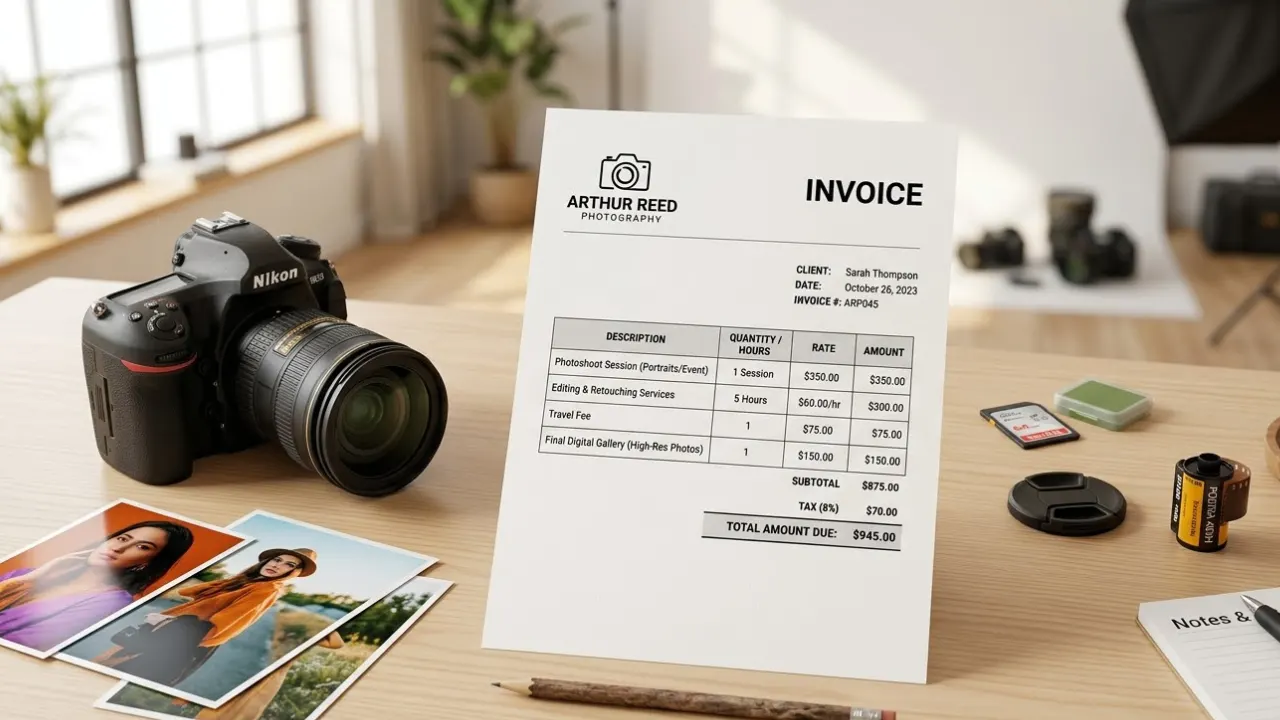
Invoice for Photography Services: How Photographers Can Bill Clients Professionally
Creating a clear invoice for photography services helps photographer’s bill clients professionally and avoid payment confusion. In this guide, you’ll learn what to include in a photography invoice and how to make the payment process simple and organized.